Ecommerce Email Marketing: How to Set It Up and Run It

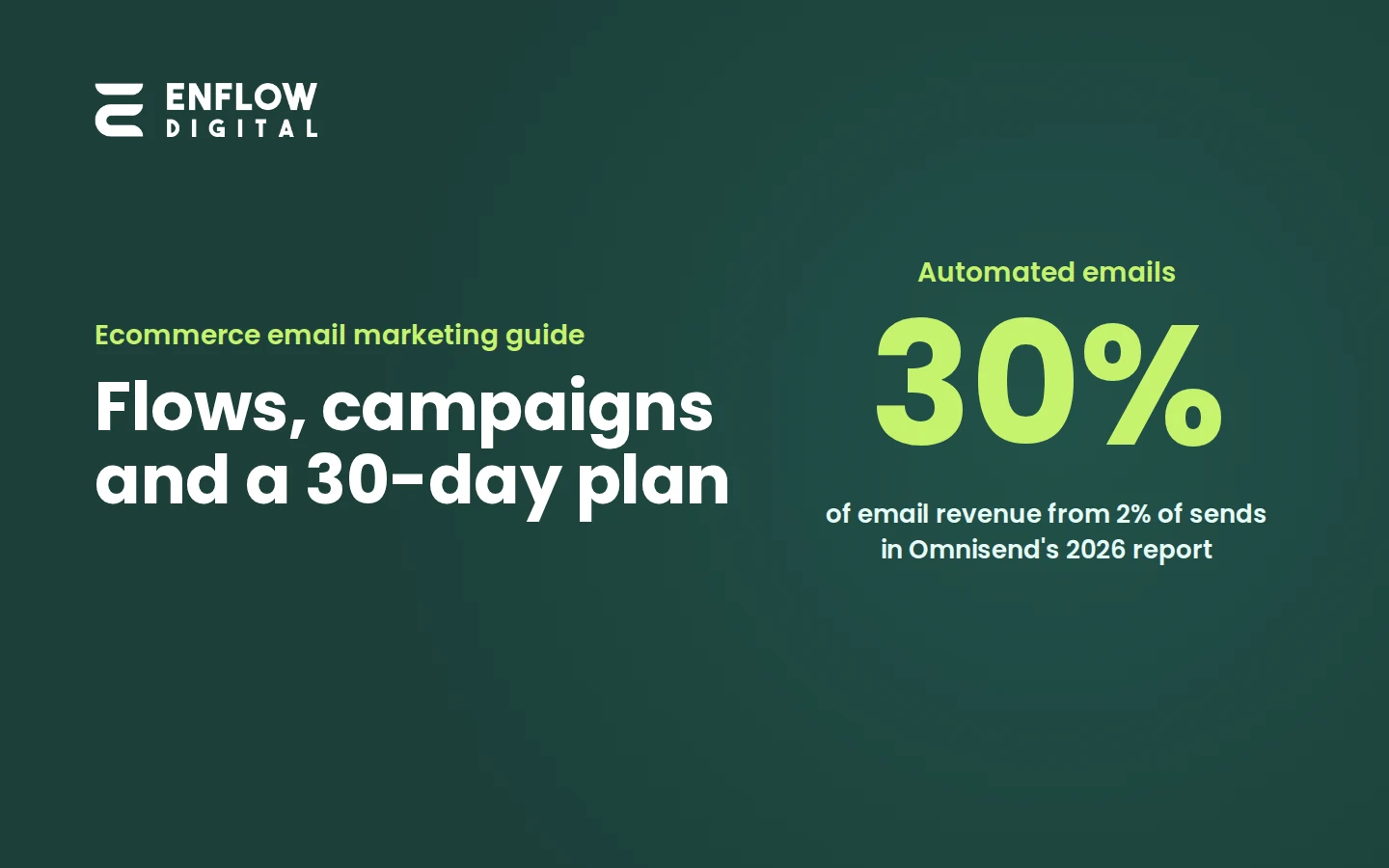
Ecommerce email marketing is how an online store uses email to turn visitors into buyers and buyers into repeat customers. It runs on two kinds of email. Automated flows send when a shopper does something, such as signing up or leaving a checkout. Campaigns go to groups of subscribers you choose, on dates you choose.
This guide to email marketing for ecommerce covers both, then the segments, consent rules, deliverability, platforms and metrics behind them. It ends with a 30-day plan. Every outside figure links to its source, read on 26 November 2026 unless the section gives another date.
Our view, disclosed. Enflow Digital runs email and SMS for online stores on Klaviyo, Omnisend and Brevo. We are a partner agency of Brevo, Klaviyo, Omnisend and Shopify. Some of these programs pay us a commission when a business we refer signs up. The lessons we call our own come from that work, with no client named.
Key takeaways
- Email for an online store runs on two kinds of email: automated flows that react to what a shopper does, and campaigns you send to chosen segments.
- In Omnisend's 2026 report, automated emails were 2% of email sends in 2025 and brought 30% of email revenue.
- Build the welcome series and the abandoned checkout flow first. Then add browse abandonment, post-purchase, win-back and sunset.
- Gmail, Yahoo and Outlook.com require bulk senders to authenticate their domain. Gmail and Yahoo also require one-click unsubscribe and a spam rate below 0.3%.
- US law lets a store email without prior consent, but marketing texts need written consent. UK and EU stores need consent, with an exception for marketing to their own customers.
- Judge results by revenue and orders per recipient, clicks and complaints. Read the attribution settings before you trust any revenue figure.
Why email marketing matters for ecommerce
Email matters for ecommerce because it reaches people who already showed interest in your store. Each message costs little, and the list belongs to you. Three published figures show where the money comes from:
- Most carts are left behind. Baymard Institute puts the average documented online cart abandonment rate at 70.22%, from 50 studies. Each checkout a known shopper abandons is a reason to send an email.
- Automated emails earn more per send. In Omnisend's 2026 ecommerce marketing report, automations were 2% of email sends in 2025 and brought 30% of email-driven revenue. Each automated email earned $2.87 per send, against $0.18 for a scheduled campaign. The report covers 150,000 brands and 27 billion emails.
- Cart flows lead the flows. Klaviyo's abandoned cart benchmarks draw on more than 110,000 Klaviyo customers. They give abandoned cart flows the highest average revenue per recipient of any flow: $6.77 for email.
These are platform figures, counted by each vendor's own attribution rules. The pattern still holds: emails triggered by a shopper's action earn more per send than broadcasts. Email is also the one channel you own. Ad prices move with the auction, while your list, with each subscriber's consent, moves with you when you change platforms.
The ecommerce email flows to build first
Ecommerce email flows are automated emails that send when a shopper signs up, starts a checkout, places an order or takes another action. Build them before you plan campaigns, because once live they send every day without more work. These are the flows we build for a store, in this order:
| Flow | Fires when | What it does | First email | Judge it by |
|---|---|---|---|---|
| Welcome series | Someone subscribes through a form | Delivers the sign-up offer, introduces the brand, asks for a first order | Right after sign-up, behind a 5-minute wait | Placed order rate of new subscribers |
| Abandoned checkout | A known shopper starts checkout and does not order | Shows the items left behind and answers doubts on shipping and returns | About 1 hour after checkout starts | Orders recovered per recipient |
| Abandoned cart | A known shopper adds to cart but never starts checkout | A lighter reminder of the same items | 2 to 4 hours after the cart, as Klaviyo suggests | Orders recovered per recipient |
| Browse abandonment | A known shopper views products without adding any | Brings back the viewed products with reviews and related items | About 4 hours after the visit | Click rate and placed orders |
| Post-purchase | An order is placed or delivered | Thanks the buyer, explains use and care, asks for a review, suggests the next product | A thank-you after the order, the review request after delivery | Repeat purchase rate and reviews collected |
| Replenishment | The usual reorder time for a product passes | Reminds the buyer to reorder something that runs out | At your customers' usual reorder day | Reorder rate |
| Win-back | A customer goes longer than usual without ordering | Gives a reason to come back, sometimes with an offer | When your usual gap between orders has passed | Lapsed customers who order again |
| Sunset | A subscriber has not clicked or ordered in months | Asks whether they still want emails, then stops sending | After about 180 days without a click or order | Spam complaint rate |
Three rules shape the timing:
- Let buyers leave. Every selling flow exits when the shopper places an order. In the welcome flow, the 5-minute wait lets someone who signs up and buys at once leave before the first email goes.
- Hold the discount. Keep any discount out of the first email of a flow and offer it in the second or third. A code in every first email teaches shoppers to wait for one.
- Time repeat flows from your own orders. Your order history shows how many days pass between first and second orders. Set replenishment and win-back where most second orders have already happened.
Our welcome email series guide covers the first flow email by email, and our abandoned cart email templates give copy for the checkout and cart flows. The 10 automated email flows post adds order, shipping and special occasion emails.
Ecommerce email campaigns and a 2027 calendar
Ecommerce email campaigns are one-off emails you send to a segment on a date you choose, such as a product launch, a sale or a gift guide. A campaign calendar plans them weeks ahead around retail dates, your launches and your stock.
Start with one campaign a week to subscribers who clicked or ordered in the last 90 days. Add a second weekly send when unsubscribes and spam complaints stay low. Send each campaign once. Apple Mail Privacy Protection downloads remote content in the background by default, so opens no longer show who read an email and a "non-opener" list is unreliable. Use that send for a new campaign instead.
Mix the content, because a list that only gets discounts learns to wait for the next one. Rotate new products, bestsellers with their reviews, how-to and care content, the story behind the brand, and offers.
| 2027 date | Moment | Market |
|---|---|---|
| 14 February | Valentine's Day | US and UK |
| 7 March | Mothering Sunday | UK |
| 28 March | Easter Sunday | US and UK |
| 9 May | Mother's Day | US |
| 20 June | Father's Day | US and UK |
| 26 November | Black Friday | US and UK |
| 29 November | Cyber Monday | US and UK |
| 26 December | Boxing Day | UK |
Plan each moment four to six weeks ahead. Send gift guides two to three weeks before the day, and land the last send before your shipping cut-off.
For Black Friday, start with your best customers. Omnisend's story about one of our Black Friday emails reports $17,980.66 in revenue from 1,676 VIP emails sent. Our Black Friday case study shows how we chose the segment and built the offer.
Ecommerce email segmentation: the groups to build first
Ecommerce email segmentation splits your list into groups by behavior and value, so each group gets emails that fit where it is. Six segments cover what most stores need in their first year:
| Segment | Rule | Use it for |
|---|---|---|
| Engaged | Clicked an email or ordered in the last 90 days | The default audience for campaigns |
| Never bought | Subscribed, no order yet | First-order offers, reviews and bestsellers |
| Bought once | Exactly one order | The second order, the hardest one to win |
| Repeat buyers | Two or more orders | Early access, launches and referrals |
| Lapsed | No order for longer than your usual gap between orders | Win-back |
| Unengaged | No click or order in 180 days | Sunset, then stop sending |
Build engagement on clicks and orders, not opens. Machine opens from Apple Mail Privacy Protection fill "opened" segments with people who never read. In Klaviyo, each opened email event carries an Apple Privacy Open property, so a segment can leave those opens out.
Personalize with store data, not only a first name. Show the products a shopper viewed, left in the cart or bought before, and the items that go with them.
Use what you collect at sign-up. A quiz answer, a pet type or a skin type is worth a branch in a flow. In our audits we have found such answers stored on many profiles and used by no email. Our email segmentation strategies post covers more ways to split the list.
How to grow an ecommerce email list with consent
You grow an ecommerce email list with sign-up forms, a marketing checkbox at checkout and an offer worth an email address. Collect consent the way each market's law asks.
- Use a pop-up as well as an embedded form. Klaviyo's ecommerce email guide gives median submission rates of 3.54% for full-screen forms, 2.71% for pop-ups and 1.04% for embedded forms.
- Ask for the email address first. Put the phone number on a second step, so the first step stays short.
- Check the live store before you rebuild a form. When the platform's own pop-up is switched off, look for another tool, such as Alia, Privy or Justuno, that replaced it. The email platform's reports cannot see that tool's form.
Consent rules differ by market and by channel:
| Market | Marketing email | Marketing texts |
|---|---|---|
| United States | No prior consent needed under CAN-SPAM. Every email needs a working opt-out, honored within 10 business days, and your physical postal address. Penalties reach $53,088 per email (FTC) | Autodialed marketing texts need prior express written consent. The TCPA lets a person sue for $500 per violation, up to three times that for a willful one |
| United Kingdom | Consent first, under PECR regulation 22. The soft opt-in covers your own customers: details taken during a sale, emails about similar products only, and a simple way to refuse at sign-up and in every email | The same rule, because PECR treats a text as electronic mail |
| European Union | Consent first, under the ePrivacy Directive as each country applies it, with a similar exception for your own customers. Under the GDPR you must be able to prove consent, and withdrawing it must be as easy as giving it | The same rule as email |
Ask for SMS consent on its own. Klaviyo says having consent for email does not mean you have consent for SMS, and that US carriers require double opt-in for abandoned cart texts. Our SMS marketing page adds US quiet hours and state limits. Laws change, so check this table with your own lawyer before you rely on it.
Ecommerce email deliverability basics
Email deliverability is whether your emails reach the inbox instead of the spam folder. SPF, DKIM and DMARC are DNS records that prove your email platform may send for your domain. Gmail, Yahoo and Outlook.com now require them from bulk senders:
| Provider | Who must comply | What it requires |
|---|---|---|
| Gmail | Senders of 5,000 or more messages a day to Gmail accounts | SPF, DKIM and DMARC, one-click unsubscribe on marketing email, and a spam rate below 0.3% (Google) |
| Yahoo | Bulk senders | SPF and DKIM, a DMARC policy of at least p=none, one-click unsubscribe honored within 2 days, and a spam rate below 0.3% (Yahoo) |
| Outlook.com | Domains that send 5,000 or more messages to Microsoft's consumer email | SPF and DKIM that pass, a DMARC record and DMARC alignment. Mail that fails is rejected (Microsoft) |
Google recommends keeping the spam rate in Postmaster Tools below 0.1%. Four habits keep a store's email in the inbox:
- Send from your own domain, never from a free mailbox address.
- Send campaigns to engaged subscribers, sunset the ones who stopped clicking, and remove addresses that hard bounce.
- Never buy or rent a list.
- Start slowly on a new domain or platform: engaged subscribers first, the full list over the following weeks.
Our guide to fixing poor email deliverability walks through the repair when emails already land in spam.
Ecommerce email platforms: Klaviyo, Omnisend, Brevo and Mailchimp
The right ecommerce email platform receives your store's events, such as product views, carts and orders, and prices fairly at your list size. Four platforms cover most stores:
| Platform | Priced by | Free plan | Paid plans start at | Fits |
|---|---|---|---|---|
| Klaviyo | Active profiles | 250 profiles, 500 emails a month | $20 a month for 500 profiles, $150 at 10,000 | Stores that want deep store data, predictive segments and many flows |
| Omnisend | Billable contacts | 250 contacts, 500 emails a month | $16 a month for 500 contacts, $132 at 10,000 | Stores that want a lower bill, web push on every plan and SMS on Pro |
| Brevo | Emails sent | 300 emails a day | $9 a month for 5,000 emails, for up to 500 contacts | Large lists that receive few emails, and transactional email |
| Mailchimp | Contacts | 250 contacts, 500 emails a month | $13 a month for 500 contacts on Essentials | Newsletters and simple automations |
Prices are in US dollars on monthly billing, read on each vendor's pricing page between 2 and 7 November 2026. Our Klaviyo pricing, Omnisend pricing and Brevo pricing guides and our Klaviyo vs Mailchimp comparison show every tier. Mailchimp's free plan limits come from its pricing page on 26 November 2026, and our Mailchimp acquisition guide covers its change of owner.
We are partners of Brevo, Klaviyo and Omnisend, so weigh our view with that in mind. Choose by how well the platform syncs with your store. Then price the list you expect to have in two years, and decide whether you want SMS in the same flows.
How to measure ecommerce email marketing
Judge your store's email by the revenue and orders it brings per email sent, and by the unsubscribes and spam complaints it costs. Open rates come last.
| Metric | What it tells you | How to read it |
|---|---|---|
| Revenue per recipient | Money earned per email delivered | Compare flows with flows and campaigns with campaigns |
| Placed order rate | Share of recipients who ordered | The main result of each flow |
| Click rate | Share of recipients who clicked | Your engagement signal since Apple's privacy change |
| Unsubscribe rate | Share who opted out | Rises when you send too often or off topic |
| Spam complaint rate | Share who marked you as spam | Keep it below 0.1%. Google's limit is 0.3% |
| Email share of store revenue | Attributed email revenue divided by all store revenue | Compare with your own history, measured the same way |
| Flow and campaign split | How email revenue divides between the two | A low flow share often points to missing or broken flows |
Every revenue figure in your platform is attributed revenue: orders credited to an email the shopper opened or clicked within a set window. Klaviyo's defaults for new accounts are 5 days for email opens and 5 days for email clicks, credited to the last touch. Omnisend's default window is 7 days for email, with opens and clicks both counting, and 24 hours for SMS.
Read the settings before you read the revenue. When opens count and many opens come from machines, email gets credit for almost anyone on the send list who bought within the window. If a campaign shows about as many attributed orders as clicks, check the attribution settings before you suspect broken tracking. We have seen that pattern come from open-based attribution, not from a tracking fault. Our email marketing analytics guide shows the settings in each platform, and our email marketing benchmarks give rates to compare against.
Common mistakes in ecommerce email
These mistakes come up in our audits of online stores' email accounts:
- Flows that are live but send nothing. One wrong filter, such as "has placed zero orders" on a review request, can stop a flow for months. Check sends per flow over the last 90 days, not only its status.
- Past buyers shut out of the welcome flow. A filter that removes everyone who ever ordered also removes the past buyer who signed up for the pop-up offer. Exit the flow on a new order instead.
- A discount in every email. It trains the list to wait for the next code and gives away margin on orders that would have come anyway.
- Repeat rates compared across categories. A jewelry store and a supplement store reorder on very different cycles. Compare your repeat rate with your own past and with stores like yours. Check whether a benchmark counts customers or orders, over 12 months or a lifetime.
- Attributed revenue taken at face value. Revenue counted on opens includes buyers who never read the email. Count clicks before you set targets, and expect the reported number to drop.
A 30-day ecommerce email marketing plan
A 30-day plan takes a store from no email program to its core flows, a weekly campaign and a baseline to measure against. It fits a Shopify, WooCommerce or Magento store on Klaviyo, Omnisend, Brevo or Mailchimp.
| Days | Build | Done when |
|---|---|---|
| 1 to 7 | Connect the store. Import only subscribers who gave consent. Set up SPF, DKIM and DMARC. Publish a sign-up pop-up and the checkout opt-in, with consent text for each market | A test sign-up from a normal browser reaches the list with its consent recorded |
| 8 to 14 | Build the welcome series (3 emails) and the abandoned checkout flow (2 to 3 emails) | A real test checkout starts the flow, and a test order stops it |
| 15 to 21 | Add browse abandonment and post-purchase. Build the engaged, never bought and bought once segments. Send two campaigns to engaged subscribers | Both campaigns sent with spam complaints below 0.1% |
| 22 to 30 | Add win-back and sunset. Write down the attribution settings. Record the baseline: email share of revenue, revenue per recipient for each flow, unsubscribe and spam rates. Plan next month's campaigns | The baseline is saved and next month's calendar is set |
Test every form and flow as a real shopper would. We have seen bot protection on sign-up forms block scripted tests, so a silent inbox after one proves nothing. Sign up from a normal browser, in the market the flow serves.
After day 30, add replenishment for products that run out and a VIP flow for repeat buyers. Then add SMS to the flows that earn the most, and A/B test subject lines and offers. Our lifecycle email marketing guide maps those later stages.
When to bring in an agency for your store's email
Bring in an agency when the core flows are still not live after a month, or when email revenue has stalled. It also makes sense when nobody on your team has time to plan and send campaigns every week. Enflow Digital has worked with 100+ ecommerce brands, and our founders have worked in email since 2018. In its Lone Wolf Paintball story, Omnisend calls us "one of the top 5 agencies worldwide out of more than 4,000 in the program".
See our ecommerce email marketing agency page, or book a free strategy session to talk through your store.
Ecommerce email marketing FAQ
What is ecommerce email marketing?
Ecommerce email marketing is email an online store sends to sell. It has two parts: automated flows that send when shoppers act, such as signing up or leaving a cart, and campaigns sent to segments of subscribers. It runs on a list the store owns, and the platform links each email to the orders that follow.
Can you sell products through email marketing?
Yes. Each email links shoppers to product pages, their cart or a checkout, and the email platform credits the orders that follow. Automated emails sell best per send. In Omnisend's 2026 report, they earned $2.87 per send in 2025, against $0.18 for scheduled campaigns.
What is the 80/20 rule in email marketing?
The 80/20 rule in email marketing is a rule of thumb with two common readings. One says about 80% of your emails should inform or entertain and 20% should sell. The other says a small share of customers brings most of the revenue, so your best buyers deserve their own segment.
How often should an online store send marketing emails?
Start with one campaign a week to subscribers who clicked or ordered in the last 90 days, on top of your automated flows. Add a second weekly campaign when spam complaints stay below 0.1% and unsubscribes hold steady. Sale periods can carry more sends, to engaged buyers only.
How much revenue should email bring an online store?
No single share fits every store. The figure depends on your attribution settings, your paid traffic and how many customers come back. A store that counts opens also reports a higher share than one that counts clicks. Compare email's share of revenue with your own past months, measured the same way.
Which email platform is best for ecommerce?
For most Shopify stores the choice is Klaviyo or Omnisend, because both are built around store events such as carts and orders. Klaviyo suits stores that want deeper data and segmentation. Omnisend's Standard plan costs less than Klaviyo's Email plan at both 500 and 10,000 contacts. Brevo fits large lists that get few emails.
Do I need consent to send marketing emails?
It depends on the market. In the US, CAN-SPAM lets you email without prior consent if every email has a working opt-out and your postal address. In the UK you need consent, or the soft opt-in for your own customers, and in the EU you need consent. US marketing texts need prior express written consent.