
Email Marketing
10 Automated Email Flows Every eCommerce Store Needs
Explore essential automated email flows that drive sales and customer engagement for eCommerce stores at every step of the customer journey.
WooCommerce email marketing
WooCommerce email marketing starts with the order emails WooCommerce sends on its own, such as new order, processing order and completed order. Plugins such as MailPoet add newsletters and cart reminders, and Klaviyo or Omnisend add full flows, segments and SMS, which Enflow Digital plans and runs for you.



WooCommerce email marketing has three layers. WooCommerce sends the order emails itself, a plugin or an email platform adds the marketing, and an agency plans and runs the work.
WooCommerce sends order and account emails on its own, such as new order, processing order, completed order, refunded order, customer note, reset password and new account (WooCommerce docs, read 7 November 2026). The default list holds no newsletter and no cart reminder.
WordPress plugins such as MailPoet, FunnelKit Automations and AutomateWoo add newsletters, cart reminders and follow-ups inside WordPress. Klaviyo and Omnisend connect through their own WooCommerce plugins and add deeper segments, flows on store events and SMS.
As an ecommerce email marketing agency, we work inside the Klaviyo or Omnisend account you choose, or in the plugin you already run when it does the job. We set up sending, and you keep the account, the data and every template.
The best email marketing for WooCommerce depends on how far you want to go. MailPoet and AutomateWoo run inside WordPress and suit stores that want newsletters and cart reminders at a low cost. Klaviyo and Omnisend suit stores that want deeper segments, more flows and SMS from one account. Each cell comes from the vendor's own pages, read on 7 November 2026; the last row is our view.
| What to compare | MailPoet | AutomateWoo | Klaviyo | Omnisend |
|---|---|---|---|---|
| Where it runs | A WordPress plugin | A WooCommerce extension, run from your WordPress dashboard | Its own platform, connected by the Klaviyo for WooCommerce extension | Its own platform, connected by the Email Marketing for WooCommerce by Omnisend plugin |
| Store data | Purchases by product and product category | Orders, carts and Woo Subscriptions events | Checkouts, product views, cart adds and orders, in real time | Contacts, orders, products and categories, kept current by WooCommerce webhooks |
| Abandoned cart | A series of abandoned cart emails, on every plan including the free one | Cart reminders sent at set intervals | Flows on Added to Cart or Started Checkout | Abandoned cart events from its plugin's tracking |
| Segments | Segments by engagement and purchasing behavior | Rules on each workflow, such as an order total; its page points stores that need advanced segmentation to Klaviyo or Mailchimp | Segments on synced store events | Segments on shopping history, engagement and profile data |
| SMS | Not on its feature list | SMS through a paid Twilio account | SMS and WhatsApp, with consent boxes at checkout | SMS with an opt-in box at checkout, charged per message |
| Forms and checkout sign-up | Pop-up forms and a sign-up box at WooCommerce checkout | Opt-in at checkout, at registration or on a sign-up page | Email, SMS and WhatsApp consent boxes at checkout | Sign-up forms and opt-in boxes at checkout |
| Price basis | Free to 500 subscribers and 5,000 emails a month; paid plans by subscriber count | A yearly licence from the WooCommerce Marketplace | Free to 250 active profiles and 500 emails a month; paid plans by active profiles | Free to 250 contacts and 500 emails a month; paid plans by contacts |
| Who it suits (our view) | A small store that wants newsletters and basic flows inside WordPress | A store that wants order-based automations without a monthly platform fee | A growing store that segments in detail on store events | A small or mid-sized store that wants email, SMS and push in one account |
Sources, read on 7 November 2026: MailPoet for WooCommerce and MailPoet pricing; AutomateWoo on the WooCommerce Marketplace; Klaviyo's WooCommerce setup guide, WooCommerce data reference and pricing; Omnisend's WooCommerce setup guide and pricing. Prices change, so check each page before you choose.
WooCommerce founders usually call us with one of four problems. Here they are in their own words, with what we change.
Many WordPress email plugins start with newsletters. We add the flows that send on their own, from welcome and cart to post-purchase and win-back.
WooCommerce's own emails cover orders and accounts, not carts. A plugin or an email platform has to record the cart, and we check that every cart is caught.
WooCommerce sends mail through WordPress and your host, and its own guide recommends a dedicated SMTP provider instead. We move sending to one and set up SPF, DKIM and DMARC.
A newsletter plugin, a cart plugin and a review plugin often each keep a list. We pick one source of truth, connect it to WooCommerce and retire the rest.
Enflow Digital is an Omnisend Strategic Partner and a Klaviyo Partner. The figures below cover every client we have served, on every store platform.
5.0 out of 5
on the Omnisend partner directory
100+
brands served
$50M+
in client revenue, tracked in Klaviyo
the founders have worked in email since
2018



No result from a WooCommerce store has been published yet. These cards show results Omnisend and Retention.com have published about our work on other stores.

Omnisend, hobby industry retailer
$150K to $250K
Omnisend revenue per month
Automation revenue grew from $0 to $61K a month
by April 2024
Source: Omnisend customer story
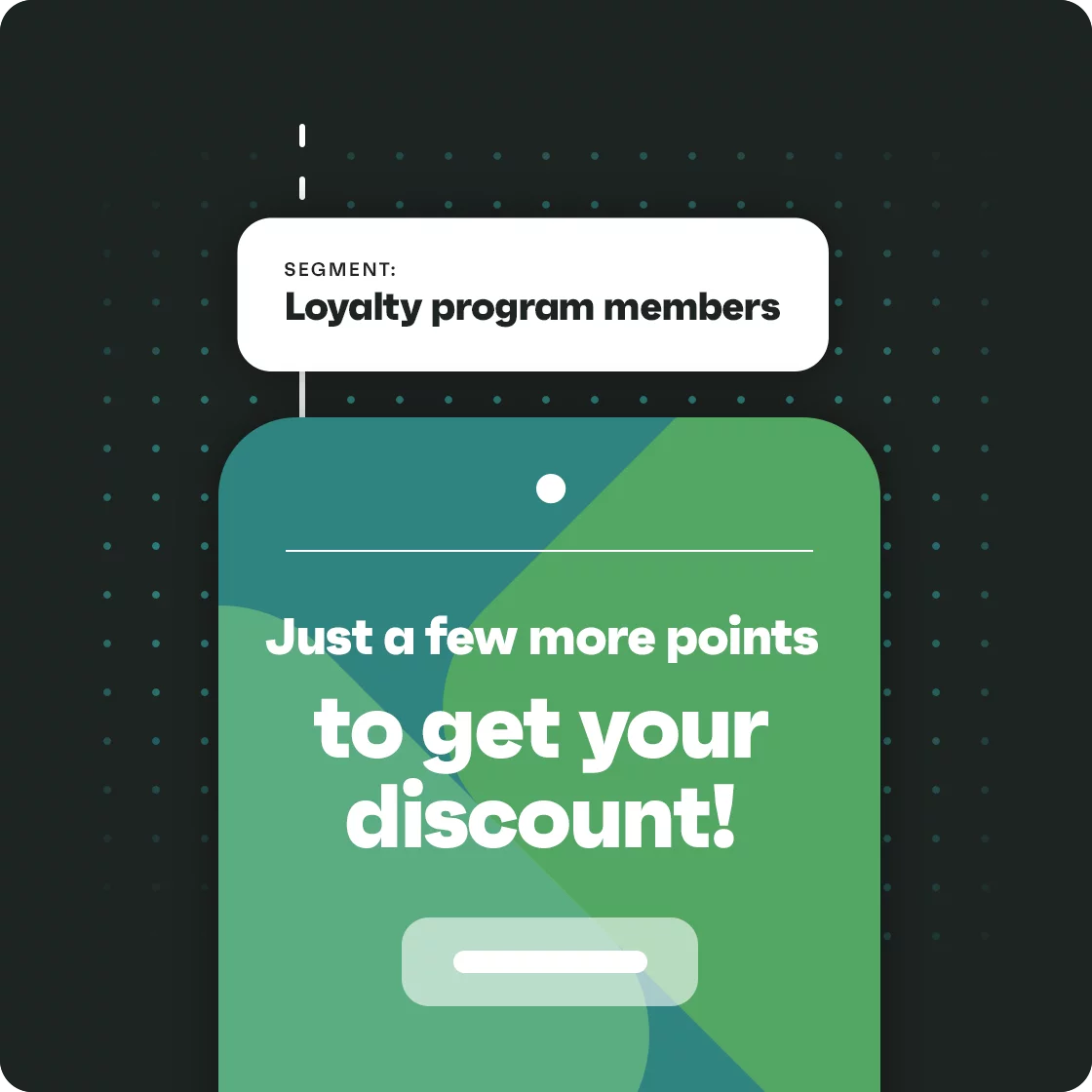
Omnisend and Smile.io, loyalty flow
$28,371+
in sales in five months
4,285 contacts, 69.87% open rate, 12.23% click rate
Source: Omnisend customer story

Retention.com on a client store
14,877
new subscribers in under four months
9.78x return as attributed by Retention.com on a $1,215 service cost, 57.9% open rate
Source: Our case study
The first two results come from Omnisend's published stories about our work, and the third is a Retention.com tool result, not an agency retainer result.
We build these six flows first on a WooCommerce store. Each card gives the WooCommerce trigger, the timing and what the message says.
Trigger: Added to Cart, or Started Checkout once a shopper enters a billing email, with no order.
Timing: within hours, then the next day.
What it says: the items left behind, reviews and a link that rebuilds the cart on any device.
Trigger: Viewed Product with no cart, for shoppers your email platform has already identified.
Timing: a few hours after the visit.
What it says: the product they looked at, what buyers say about it and similar items.
Trigger: a sign-up through a form or the consent box at WooCommerce checkout.
Timing: at once, then a few more emails over the first week.
What it says: who you are, your best sellers and a reason to place the first order.
Trigger: an order that reaches processing or completed in WooCommerce.
Timing: after the order, when it ships and a few days after delivery.
What it says: how to use the product, what pairs with it, and a review request. WooCommerce's own order emails keep the receipts.
Trigger: a Woo Subscriptions event, such as an upcoming renewal or a failed payment.
Timing: before the renewal date, and at once after a failed payment.
What it says: what ships next, how to change the plan, and how to update a card.
Trigger: no order for longer than your usual time between orders.
Timing: in steps, with an offer only in the last email.
What it says: what is new since their last order and why to come back.
Four connections decide what your WooCommerce email can do. We set each one up and check it before the first flow sends.
Klaviyo's extension syncs checkouts, product views, cart adds and orders in real time, and can add email, SMS and WhatsApp consent boxes at checkout. A WooCommerce account alone creates no Klaviyo profile (Klaviyo, read 7 November 2026).
Omnisend backfills your contacts, orders, products and categories once, then reads changes through WooCommerce webhooks. Its plugin must stay active for tracking, cart events, forms and checkout opt-in boxes (Omnisend, read 7 November 2026).
WooCommerce sends mail through WordPress's wp_mail() function, and its email guide calls a dedicated SMTP provider more reliable than your server. A plugin such as WP Mail SMTP routes WordPress mail through such a provider.
Klaviyo, Omnisend and MailPoet can each add a consent box to WooCommerce checkout. We keep one box per channel, so a shopper is asked once and the answer reaches every tool.
Tracking comes with the plugins. We also add UTM tags to every email and SMS link, so Google Analytics can credit each sale to the message that brought it.
Every flow sends only to people who agreed to get it. On WooCommerce the consent comes from the boxes your plugins add, and three settings matter most.
Omnisend syncs checkout emails as non-subscribed until you switch on its opt-in box, and Klaviyo sends consent after the order is submitted. We switch on one box, word it plainly and test that a ticked box makes a subscriber.
SMS consent is a separate box from email consent in Klaviyo and in Omnisend. Klaviyo does not sync SMS consent for age-gated companies. The TCPA sets the US rules; PECR and UK GDPR set the UK rules. Our SMS marketing service runs texts beside your email.
Omnisend bills for non-subscribed contacts who receive automated messages, and does not bill unsubscribed ones (Omnisend pricing, read 7 November 2026). We keep one unsubscribe list across WordPress and your email platform.
Enflow Digital is a marketing agency, not a law firm. Your lawyer approves consent wording.
Founders and marketing leads of ecommerce brands describe their work with Enflow Digital. The reviews do not say which store platform each brand sells on.

CMO of Two Wheels Empire
We've just launched our automations and they are already bringing us sales! The team displayed an impressive level of expertise and professionalism throughout our collaboration. Communication with their team was always smooth and on point. Would recommend to anyone!

Founder of Alkaline Herb Shop
Enflow Digital is the best company I have ever worked with. They are professional and on top of everything. They also create the most beautiful emails and have a lot of experience doing the work they do. I love that they do the research to help me come up with the best campaigns and that they have taken the time to learn our store. The emails they craft are usually filled with upsells, and the visuals are unparalleled.

Founder of The Truth Beauty Company
We hired Enflow to audit and improve our automations and the rates tell the story! And a happy story it is! We have seen a lot of growth - and recognize the potential to see more growth. Julius and his team work quickly and provide very robust reports! 1000% would I work with Enflow again!

Founder of Cinch Skin
Omnisend recommended I give Enflow Digital a try and they did not disappoint. They worked quickly and efficiently and made some great changes to our flows and promotional emails. They also understood our brand perfectly (both tone of voice and creative) I would recommend this team for anyone wanting a stress free partnership. Thank you!
Founder and CEO of Cocoon Apothecary
The Enflow Digital Team is dependable, professional, and provides top notch content. They took so much work off our plates by managing our email marketing and got us amazing results.
WooCommerce email marketing with an agency costs our fee plus your plugin or platform. Our retainers run from $2,000 to $10,000+ per month, and the scope of your account sets where you land.
$2,000 to $10,000+ per month
Our fee only. These factors move it within the range.
How many flows need building or rebuilding, subscription renewals included.
How many email campaigns go out each month.
Whether texts run beside your email.
Whether your store needs a move to a dedicated SMTP provider and new DNS records.
A one-off setup or ongoing monthly work.
Your plugins and platform bill you separately, at the prices their vendors set. MailPoet is free up to 500 subscribers and 5,000 emails a month, AutomateWoo and FunnelKit Automations sell yearly licences, and Klaviyo and Omnisend price by profiles or contacts. Our email marketing agency pricing guide explains the usual fee models.
We set up a WooCommerce store in five steps, from the plugin install to the first monthly report.
We read your plugins, your flows, your list health, your sending setup and your order data, then rank the fixes by the revenue they can bring.
We install Klaviyo for WooCommerce or Omnisend's plugin, move sending to a dedicated SMTP provider, and check that customers and orders have synced.
We write, design and build the flows, highest earners first, and retire the plugin emails a new flow replaces.
We group customers by order history, products bought and subscription status.
We test subject lines, timing and offers, and report revenue by flow and by campaign each month.
Klaviyo, Omnisend and Brevo all connect to WooCommerce through their own plugins. The right one depends on your list size, your channels and your budget.
Klaviyo suits WooCommerce stores that want flows on product views, cart adds and checkouts, with SMS and WhatsApp consent at checkout.
Omnisend suits small and mid-sized WooCommerce stores that want email, SMS and push in one simpler account, connected through its WooCommerce plugin.
Brevo suits WooCommerce stores with a large list on a tight budget, because it prices by send volume rather than by contacts. Its plugin can also relay your order emails.
Enflow Digital is not the right agency for every WooCommerce store. Four cases come up most.
Karolina Uvarkina and Julius Urbanavicius run Enflow Digital every day. Our team of project managers, copywriters and designers does the account work.

Karolina Uvarkina
Co-Founder, Head of Email
Karolina Uvarkina built and exited ecommerce businesses before Enflow, leading their marketing: testing and refining what brought in leads and sales. Karolina has worked in email since 2018 and now leads email at Enflow Digital.
Meet KarolinaLinkedIn: Karolina UvarkinaInstagram: Karolina Uvarkina

Julius Urbanavicius
Co-Founder, Head of Growth
Julius Urbanavicius turned a weekend hobby into full-time work, building and exiting ecommerce brands that served tens of thousands of customers. Julius has worked in email since 2018 and leads growth at Enflow Digital.
For a small store, a WordPress plugin such as MailPoet is often enough, and it is free up to 500 subscribers. For a growing store, Klaviyo or Omnisend does more, with flows on product views and cart adds, deeper segments and SMS in one account. We help you choose by list size, channels and budget.
Yes, on a small list. WooCommerce's own emails include no cart reminder, but MailPoet's free Starter plan does, for up to 500 subscribers and 5,000 emails a month; its plan table ticks abandoned cart reminders on every plan (read 7 November 2026). Bigger lists pay: MailPoet past 500 subscribers, Klaviyo past 250 active profiles and Omnisend past 250 contacts.
WooCommerce emails often land in spam because they leave from your web host without proper authentication. WooCommerce sends through WordPress's wp_mail() function, and its own guide recommends a dedicated SMTP provider and checking authentication. A From address on Gmail or Yahoo causes problems too. We move sending to a provider and set up SPF, DKIM and DMARC.
Yes. Klaviyo connects through its Klaviyo for WooCommerce extension, which syncs checkouts, product views, cart adds and orders in real time. It can add email, SMS and WhatsApp consent boxes to your checkout. Klaviyo records a Placed Order event when an order syncs with a status of processing or completed.
Yes. Omnisend's plugin, Email Marketing for WooCommerce by Omnisend, connects your store. Omnisend backfills your contacts, orders, products and product categories once, then keeps them current through WooCommerce webhooks. The plugin must stay active for tracking, cart events, sign-up forms and the opt-in boxes at checkout.
WooCommerce email marketing costs the plugin or platform plus any agency fee. MailPoet is free up to 500 subscribers, AutomateWoo and FunnelKit Automations sell yearly licences, and Klaviyo and Omnisend price by profiles or contacts, with SMS billed separately. Enflow Digital's retainers run from $2,000 to $10,000+ per month.
Yes. Woo Subscriptions lets customers subscribe to your products and pay weekly, monthly or yearly. We build renewal reminders, failed payment emails and win-backs for lapsed subscribers. AutomateWoo can trigger workflows on subscription events, and on Klaviyo the events come through Tribe's Klaviyo Toolkit plugin, which does not backfill past events.
You own the account and the designs. We work in your own Klaviyo, Omnisend or plugin account, connected to your WooCommerce store. Your customer data stays in WooCommerce and in your email platform, and every flow and template stays in your account if you stop working with us.
The first flows go live as soon as you approve them. We install the plugin, fix the sending setup and check the sync first, then build the welcome and abandonment flows, which usually earn the most. Each flow switches on after you sign off its copy and design.
It depends on the time left and the health of your list, so start with the free audit as early as you can. A WooCommerce store that sends from its web host needs its sending fixed first, or more of your Black Friday emails land in spam. After the audit we tell you what is realistic in the time left.
Still have questions? Email us at info@enflowdigital.com.
These guides go deeper on the flows, cart recovery and deliverability for a WooCommerce store.
Explore essential automated email flows that drive sales and customer engagement for eCommerce stores at every step of the customer journey.
Driving traffic to your eCommerce store is only half the battle – […]
Learn effective email automation strategies that can significantly boost your ecommerce revenue and enhance customer engagement in 2025.
Discover what lifecycle email marketing is and how it strengthens retention, loyalty, and revenue.
Most email deliverability issues come from four causes: broken authentication, a damaged sender reputation, a list with bad addresses, or content that looks like spam.
Tell us what you sell, which email platform you use and what you want to fix, and we will reply by email.
Book a free strategy session. We look at your plugins, your sending setup and your flows, and tell you what to fix first.